Multi-point digital inspection for garages
What the Digital Inspection module lets you do
- Custom inspection checklists: Create your own multi-point checklists, organized by categories (brakes, tires, suspension…), with reorderable items.
- Three states per item: Good, To watch or Action required — with a comment and a photo to back up each inspected item.
- Suggested parts and services: Under a failed item, add the recommended parts and labour with their price — that's the amount the customer will approve.
- Remote approval: The customer receives a secure link by email and approves or declines each job from their phone, no account required.
- Automatic transfer to the work order: Approved jobs are automatically added to the work order — parts and services included.
- Dated approval trail: Every customer decision is recorded with its date and origin — useful protection in case of a dispute over authorized work.
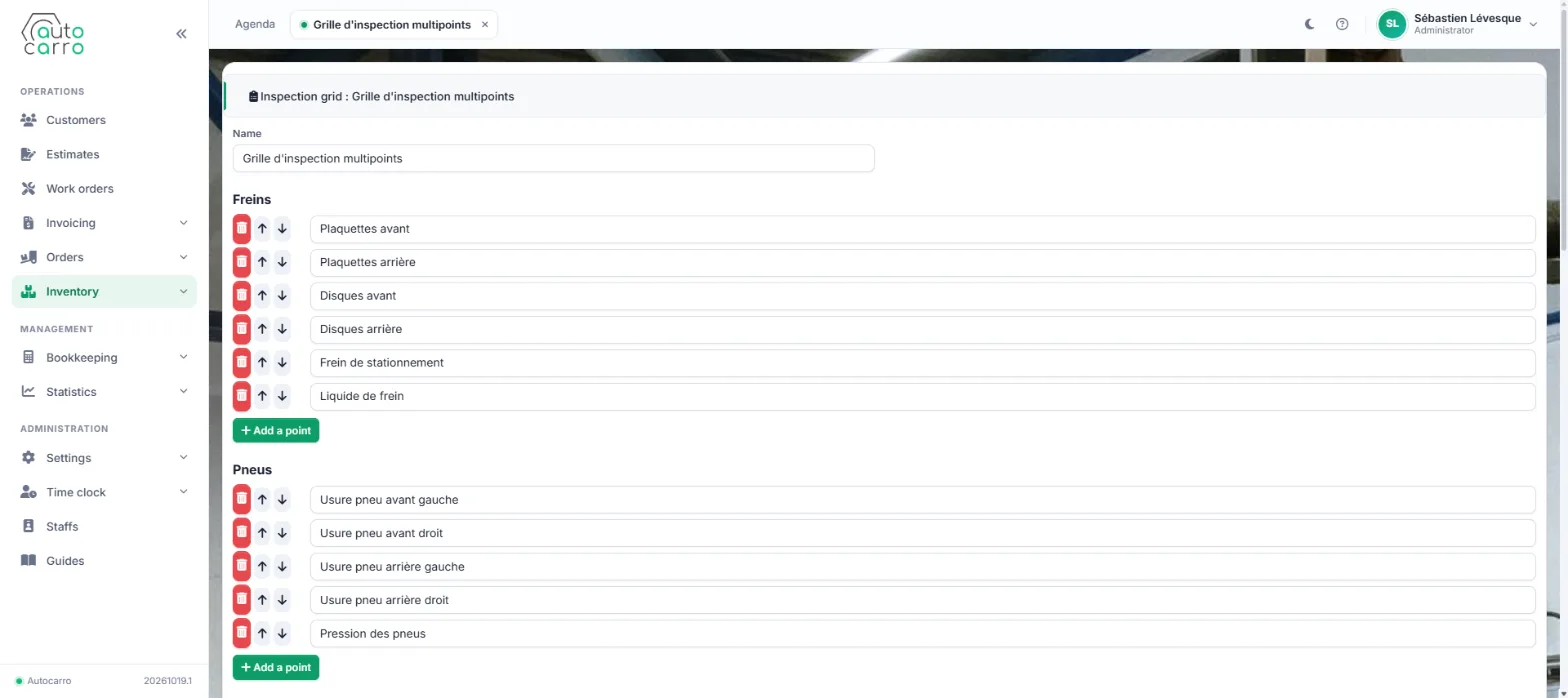
Your checklists, your items: brakes, tires, suspension — you decide.
The inspection is filled out right in the work order
Add the inspection service to the work order, fill out the checklist item by item, then send the report to the customer in one click.
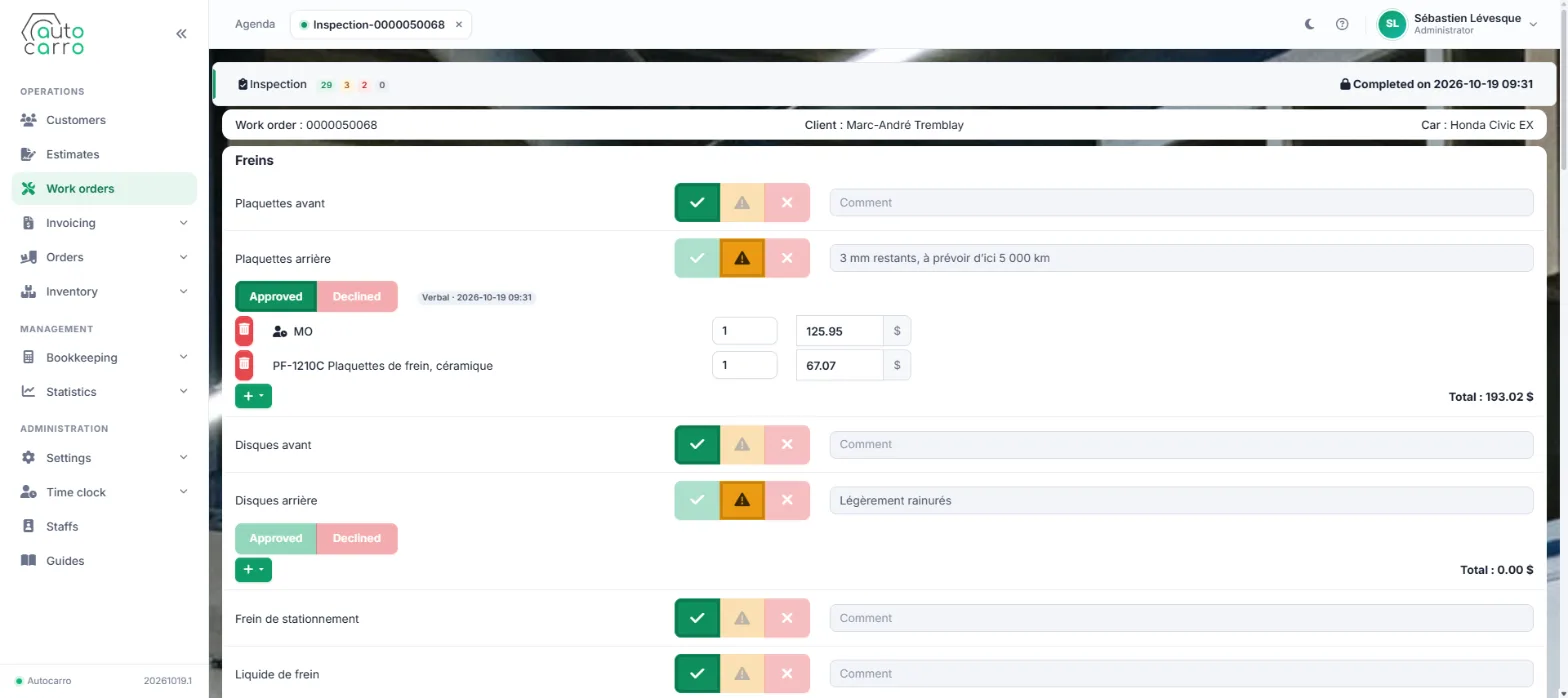
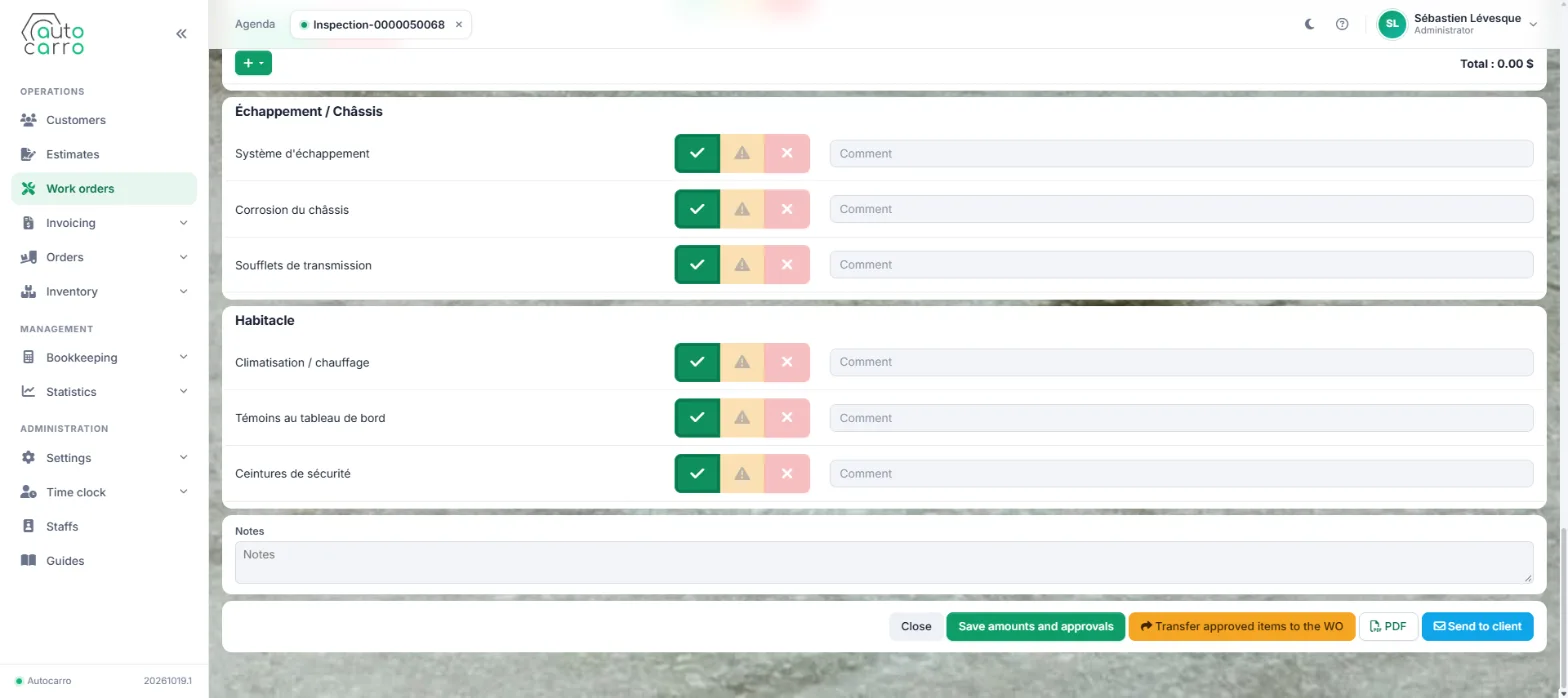
From the PDF report to approval, without a phone call
Once the inspection is complete, generate the PDF report (states, comments, photos) or send the customer a secure, time-limited link to the interactive report. The customer reviews each failed item with photos and amounts, then answers right from their phone. Back in Autocarro, the note "The customer has responded" appears under the work order status — and the approved jobs are already transferred.
The Digital Inspection module is available as an add-on to your Autocarro subscription — see the pricing page or activate the Inspection Pack directly in your subscription preferences.